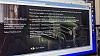
I just double-checked. I went into a folder called PROGRAM on the Second disk. Then I went to the Welcome.html file, held the shift key down and right-clicked on the file. This allows you to see an "Open With" option in your menu. I chose Internet Explorer, the older browser on my Windows 7 machine. That opened the file and allowed me to see the menus and options and plays the content like it is supposed to. As I remember, you need Windows 7.
This is what it should look like with moving graphic menus.