
Parts Catalog Accessories Catalog How To Articles Tech Forums
Call Pelican Parts at 888-280-7799
Shopping Cart Cart | Project List | Order Status | Help


Go Back   PeachParts Mercedes-Benz Forum > General Discussions > Off-Topic Discussion

Reply
 
LinkBack Thread Tools Display Modes
  #16  
Old 08-07-2011, 12:34 PM
420benz's Avatar
Registered User
 
Join Date: Jul 2001
Posts: 961
How involved is it to remove Vista 64 and install Windows 32? Also I asume I will loose all of me info.

Reply With Quote
  #17  
Old 08-07-2011, 12:42 PM
sjh sjh is offline
Banned
 
Join Date: Oct 2009
Posts: 580
Quote:
Originally Posted by 420 benz View Post
How involved is it to remove Vista 64 and install Windows 32? Also I asume I will loose all of me info.
Whether XP or Win 7 the install is quite easy and there are lots who can help.

You'd want to back up everything. One way that folks use (I'm old fashion and copy things to hard-drives) is they use an online back-up service. This will copy everything to a collection of machines. You access your data when you want it.

If your machine was sold with Vista it should handle W7 fine and you should have all of the drivers.

Again I ask why you want to use 64-bit OS? How much RAM is in your machine?

You could install Win 7, all of your drivers, download all of the updates, etc in 3 to 4 hours. But find some youngster to do it and watch and learn. It's no fun to get frustrated halfway through.
Reply With Quote
  #18  
Old 08-07-2011, 12:44 PM
sjh sjh is offline
Banned
 
Join Date: Oct 2009
Posts: 580
Quote:
Originally Posted by Matt L View Post
Yes, you will lose everything if you do a complete install, if you take the option to reformat the disk. You SHOULD take this option.

But first, buy an external USB disk drive and transfer your personal files to it.
This is also good advice.

If you have security concerns you'd want to do the complete (slow) format. And unless your drive has been giving you trouble I would be comfortable doing a 'quick' format. Others here may have a different perspective.
Reply With Quote
  #19  
Old 08-07-2011, 12:54 PM
sjh sjh is offline
Banned
 
Join Date: Oct 2009
Posts: 580
Quote:
Originally Posted by Matt L View Post
I write zeros to the entire platter (or perform a SATA security erase, if the device is a SSD), then use a quick format. Of course, I would not recommend that 420 attempt this procedure.
Oh yeah. There are sorts of secure erasure methods. Just not sure most of us need that level. I seldom do so but I don't allow my disks out of my site.

Later.
Reply With Quote
  #20  
Old 08-07-2011, 12:56 PM
sjh sjh is offline
Banned
 
Join Date: Oct 2009
Posts: 580
Quote:
Originally Posted by Matt L View Post
32-bit XP has been hampered to only allow 3.5G of RAM. There is no technical reason for this limitation; it's a marketing move. Windows Server 2003, which shares its OS kernel with XP, does not have this limitation. It can access up to 64G of RAM (but each process can only get 2G or 3G of virtual address space). I do not know if the 32-bit versions of Vista or Windows 7 share this limitation.

That said, if you have less than 4G of RAM, you are shooting yourself in the foot by running a 64-bit OS. 32-bit would work, and 32-bit processes require less memory to preform the same task as their 64-bit counterparts.
On my Dell machines the OS only sees 2.75 GB RAM in 32-bit mode, regardless (I believe) of OS.

Are you saying when I do a 32-bit u*ix install I will see more than that?

Are you sure?
Reply With Quote
  #21  
Old 08-07-2011, 12:58 PM
Stretch's Avatar
...like a shield of steel
 
Join Date: Sep 2009
Location: Somewhere in the Netherlands
Posts: 14,461
OK equivalent page for Vista 64 is here

http://www.vistax64.com/tutorials/79571-start-menu-shortcuts.html
__________________
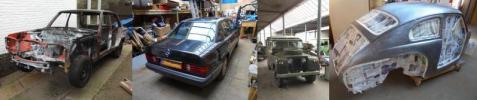
1992 W201 190E 1.8 171,000 km - Daily driver
1981 W123 300D ~ 100,000 miles / 160,000 km - project car stripped to the bone
1965 Land Rover Series 2a Station Wagon CIS recovery therapy!
1961 Volvo PV544 Bare metal rat rod-ish thing

I'm here to chat about cars and to help others - I'm not here "to always be right" like an internet warrior


Don't leave that there - I'll take it to bits!
Reply With Quote
  #22  
Old 08-07-2011, 01:00 PM
Stretch's Avatar
...like a shield of steel
 
Join Date: Sep 2009
Location: Somewhere in the Netherlands
Posts: 14,461
Quote:
Originally Posted by sjh View Post
On my Dell machines the OS only sees 2.75 GB RAM in 32-bit mode, regardless (I believe) of OS.

Are you saying when I do a 32-bit u*ix install I will see more than that?

Are you sure?
Easy to try that out

Go burn a copy of Linux on a live CD (won't install unless you ask it too!) and see what it says.
__________________
1992 W201 190E 1.8 171,000 km - Daily driver
1981 W123 300D ~ 100,000 miles / 160,000 km - project car stripped to the bone
1965 Land Rover Series 2a Station Wagon CIS recovery therapy!
1961 Volvo PV544 Bare metal rat rod-ish thing

I'm here to chat about cars and to help others - I'm not here "to always be right" like an internet warrior


Don't leave that there - I'll take it to bits!
Reply With Quote
  #23  
Old 08-07-2011, 01:36 PM
sjh sjh is offline
Banned
 
Join Date: Oct 2009
Posts: 580
Quote:
Originally Posted by Matt L View Post
Unless your computer is more than 10 years old, yes I am sure. The technology is called PAE, Physical Address Extension, and it's been supported for a long time.

You'll also see all of your memory with 32-bit WS2003 (if you pay enough).

I don't recall if WS2008-RTM (Vista kernel) has a 32-bit build, but I do know that WS2008-R2 (Windows 7 kernel) does not.

Of course, Windows Server costs a lot more than the client versions, and especially if you want to use huge amounts of memory. They sell multiple versions, with varying RAM (and other) limits, for varying prices. All marketing, mind you; there is no technical reason that you can't use 64G on a 32-bit PAE system (it has 36-bit physical address space).

For details, see this document:

http://download.intel.com/design/processor/manuals/253665.pdf

Edited to add: You're likely seeing less than 3.5G because your video card is using main RAM.
I own high-end Dell servers ($10K new) they support PAE. I still never see more than 2.75 GB in any MS 32-bit OS, regardless of video.

But I run 64-bit and use 8 to 16 GB RAM. I had not noticed what was available when I installed Mandriva 32-bit. I'll try it, or maybe I'll just try a live 32-bit ubuntu and see what is available.

I'll let you know what I find.
Reply With Quote
  #24  
Old 08-07-2011, 03:40 PM
420benz's Avatar
Registered User
 
Join Date: Jul 2001
Posts: 961
Quote:
Originally Posted by Matt L View Post
Yes, you will lose everything if you do a complete install, if you take the option to reformat the disk. You SHOULD take this option.

But first, buy an external USB disk drive and transfer your personal files to it.
What i don't understand about transferring files to an external USB disk drive is,will all of the bad crap come with it? BTW: You all know me very well. I will NOT attempt to do this. I might just buy a new 32Bit os tower and start over.Even if my son or grandson does this,with my luck it will some how go bad.
Reply With Quote
  #25  
Old 08-07-2011, 04:22 PM
420benz's Avatar
Registered User
 
Join Date: Jul 2001
Posts: 961
Quote:
Originally Posted by Matt L View Post
If you copy data files, installed programs won't move with them.

Rather than buying a new PC, your son or grandson can install a new disk drive for you, and install on that. Fairly fast 1000G drives sell for about $60 all the time. Also get an enclosure for your old disk, to turn it into a USB drive. Those cost about $30. Then you don't have to transfer anything.
That sounds like a good plan. Thanks all of you guys for all of your help.
Reply With Quote
  #26  
Old 08-07-2011, 05:17 PM
sjh sjh is offline
Banned
 
Join Date: Oct 2009
Posts: 580
Quote:
Originally Posted by Matt L View Post
Unless your computer is more than 10 years old, yes I am sure. The technology is called PAE, Physical Address Extension, and it's been supported for a long time.....
to army, matt & everyone else

Dell Precison Workstation 670

dual Xeon, 4 physical cores, 8 virtual cores

16 GB RAM, ECC, registered

6 year-old very high-end machine

Run Ubuntu Live - system reports 2.7 GB

That's all any 32-bit OS recognizes

I have tried many, many, many

----

I await your response

Reply With Quote
  #27  
Old 08-07-2011, 05:21 PM
sjh sjh is offline
Banned
 
Join Date: Oct 2009
Posts: 580
Quote:
Originally Posted by 420 benz View Post
What i don't understand about transferring files to an external USB disk drive is,will all of the bad crap come with it? BTW: You all know me very well. I will NOT attempt to do this. I might just buy a new 32Bit os tower and start over.Even if my son or grandson does this,with my luck it will some how go bad.
Don't buy a new machine - unless $$$ is no problem

This is child's play

Just cause you can't do it (which is no big deal) doesn't mean it should be seen as a big deal

Where do you live

Talk to somebody and have their jr high kid come over and help

ask for help at your church, community group, on craigslist, etc
Reply With Quote
  #28  
Old 08-07-2011, 05:23 PM
sjh sjh is offline
Banned
 
Join Date: Oct 2009
Posts: 580
Quote:
Originally Posted by Matt L View Post
If you copy data files, installed programs won't move with them.

Rather than buying a new PC, your son or grandson can install a new disk drive for you, and install on that. Fairly fast 1000G drives sell for about $60 all the time. Also get an enclosure for your old disk, to turn it into a USB drive. Those cost about $30. Then you don't have to transfer anything.
I just bought 3 high speed 2 GB for $80 each. Made a nice RAID 5 using an areca card.
Reply With Quote
  #29  
Old 08-07-2011, 07:13 PM
sjh sjh is offline
Banned
 
Join Date: Oct 2009
Posts: 580
Quote:
Originally Posted by Matt L View Post
Old-school, are we?

Heh, I do this all the time. I'm sure that you mean 2T.
At least I didn't tell stories about my days at IBM when the tech walked in with a big smile on his face, dressed in his full-body jump suit with bunny slippers on, holding the cylindrical plastic carousel containing 3 aluminum 16" blanks and say, "We've got 1 MB of data here!"

Yep, I hit the wrong key.

So if linux was properly setup how much of the RAM would the 32-bit OS see? All of it?
Reply With Quote
  #30  
Old 08-08-2011, 12:59 AM
sjh sjh is offline
Banned
 
Join Date: Oct 2009
Posts: 580
Quote:
Originally Posted by Matt L View Post
Yes, it should see all of it. Same with 32-bit WS2003, but I don't know if you can buy that any more.
Well I'll be. I did not know that.

I've been drinking the kool-aid.

So all of these magazine articles stating, "...the address limitation of a 32-bit header restricts ...." is hooey.

Thanks for sharing.

Reply With Quote
Reply

Bookmarks


Posting Rules
You may not post new threads
You may not post replies
You may not post attachments
You may not edit your posts

BB code is On
Smilies are On
[IMG] code is On
HTML code is On
Trackbacks are On
Pingbacks are On
Refbacks are On


All times are GMT -4. The time now is 07:29 PM.


Powered by vBulletin® Version 3.8.7
Copyright ©2000 - 2026, vBulletin Solutions, Inc.
Search Engine Optimization by vBSEO 3.6.0
Copyright 2026 Pelican Parts, LLC - Posts may be archived for display on the Peach Parts or Pelican Parts Website -    DMCA Registered Agent Contact Page